
Interview · App launch
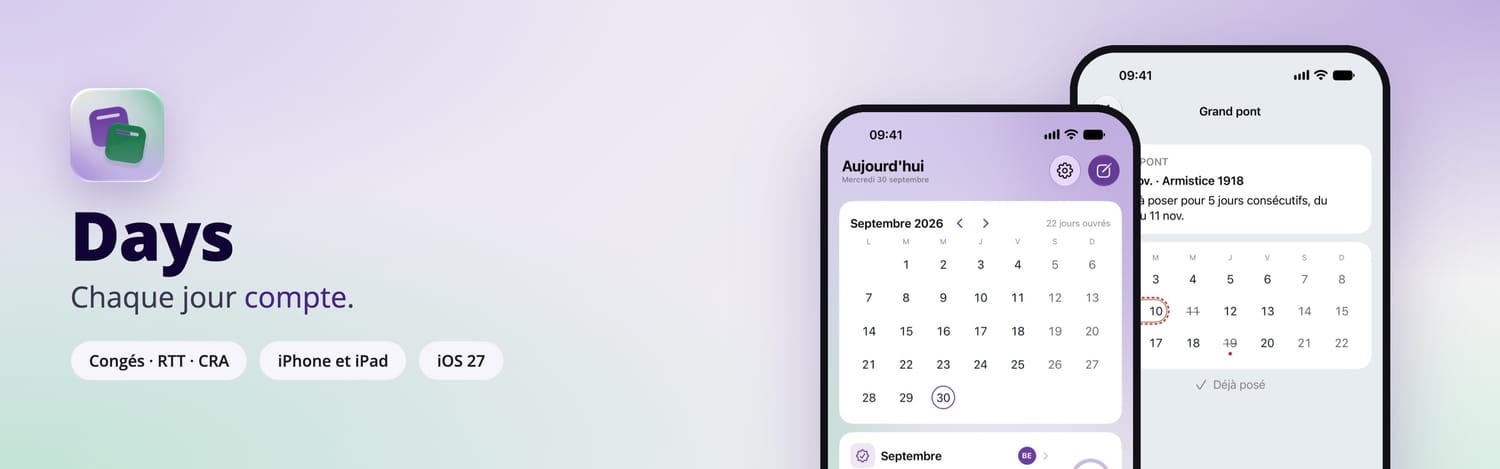
It all starts on a weekend, on a couch. Mickaël Mas can’t be bothered to walk over to his computer, so he writes up his app idea on his phone. A month later at most, Days is on the App Store: an app that tells consultants how many days off they have left to take, built from an iPhone without writing a single line of code.
Written interview, October 2026. The questions were prepared with the help of AI; the answers are Mickaël’s, based on his notes.
Who is Mickaël Mas?
Mickaël Mas has been an iOS developer since 2010 and an Apple-certified trainer since 2019. He founded Apprendre SwiftUI, a French-language platform for learning to build Apple apps.
Day to day, he works as a freelance consultant at France Télévisions, France’s public broadcaster. That’s where the story of Days begins.
The starting point: the 206-day rule
Not everyone on his team works under the same status.
Question: What does your team look like?
We have several statuses. Employees of the company. Freelance consultants, like me. Consultants from ESNs, IT services firms, who are themselves employees of their own company. And consultants on portage salarial, a French umbrella-company arrangement. Each with their own rules.
At France Télévisions, every external consultant can work at most 206 days a year. The company’s employees aren’t covered by this rule, only consultants. And every month, we fill in our CRA (compte rendu d’activité, a monthly activity report), which is used for invoicing, for example by our umbrella company.
Question: What’s the problem, in practice?
Consultants don’t know how many days they’ve already used up. Or how many days that leaves them to book. Or, quite simply, how many days off they have left.
Question: And what’s the risk for the team?
If everyone takes their leave at the same time, the project workload falls out of balance. It’s already happened: consultants who hadn’t kept track of their worked days had to take all their remaining days at the same time.
That’s why the first version of the app was called “206”.
What is Days?
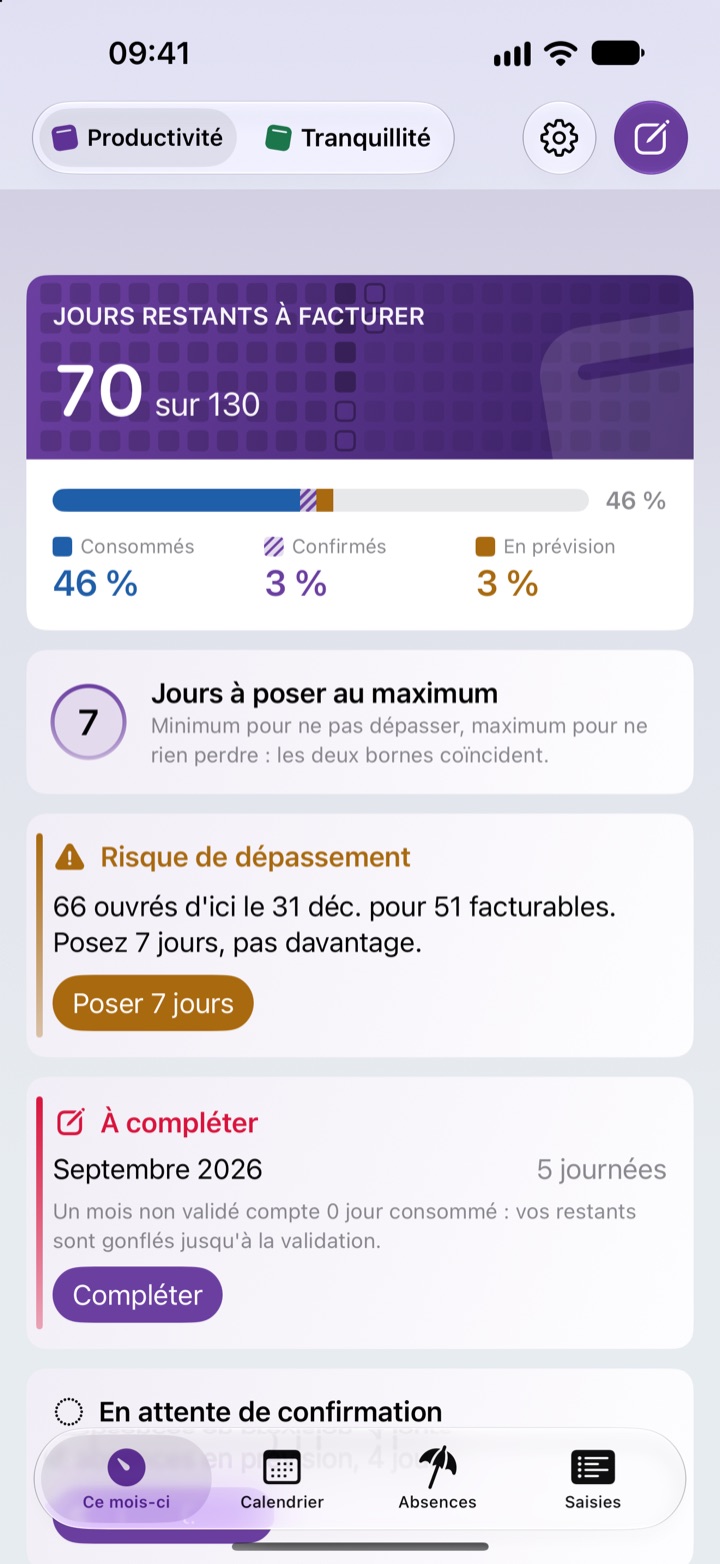
Days tracks your worked days, your leave, your RTT days (extra days off earned under France’s 35-hour working week) and your CRA, against a yearly cap. Its tagline is three words long: “Chaque jour compte”, every day counts. It is available on the App Store for iPhone and iPad.
What it does, according to its website:
- Your balances: paid leave, RTT and other counters, each with its own deadline. You can tell planned absences from confirmed ones.
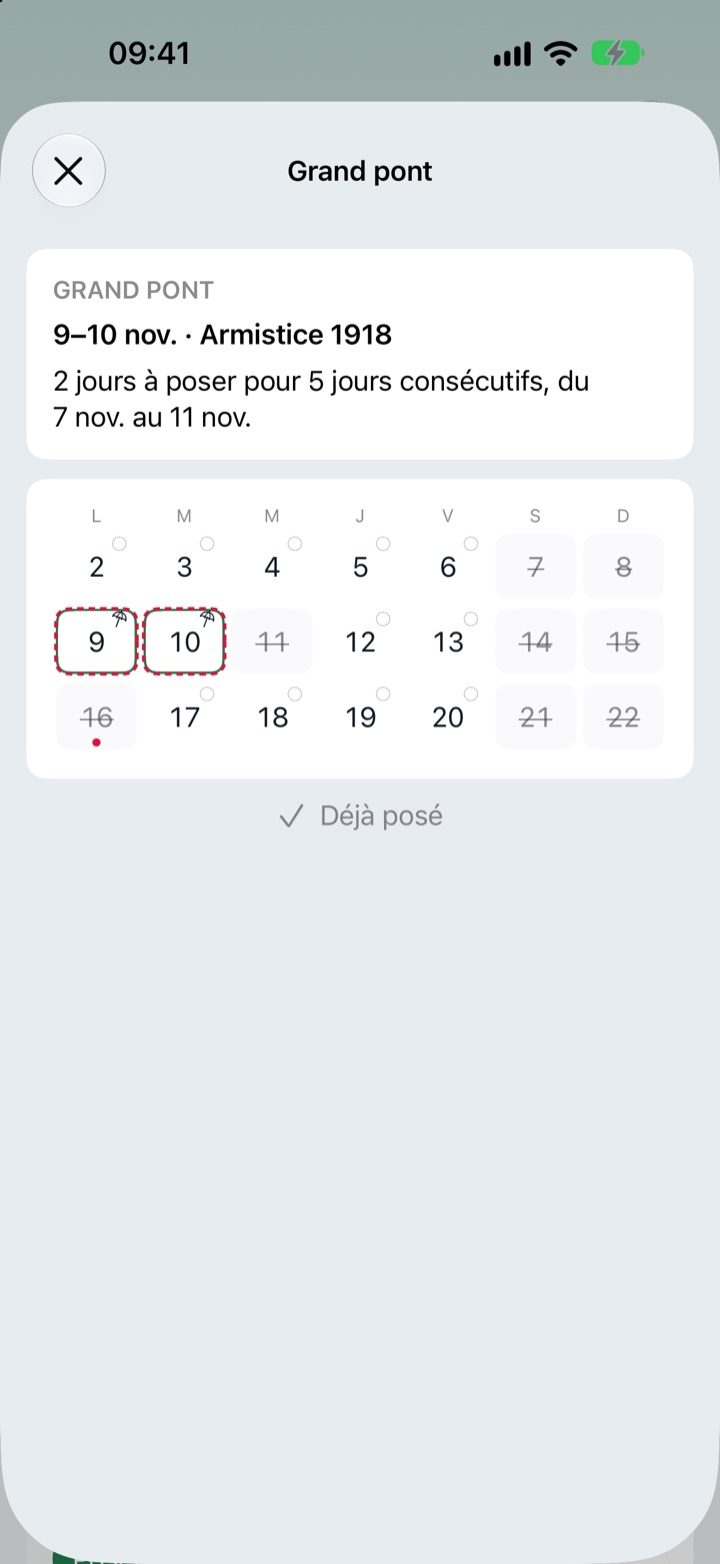
- The French calendar: public holidays (including the extra ones in Alsace-Moselle and France’s overseas territories), school holidays for your zone (France staggers school holidays by region), and bridge-day detection (a pont is a day of leave taken between a public holiday and the weekend).
- For consultants: an adjustable cap on billable days (206 for Mickaël, 218 for a forfait jours, the French annual days-based contract), a risk indicator, an optional TJM (daily rate) to estimate lost income, monthly CRA validation, and CRA import from a PDF or a photo, read on the device.
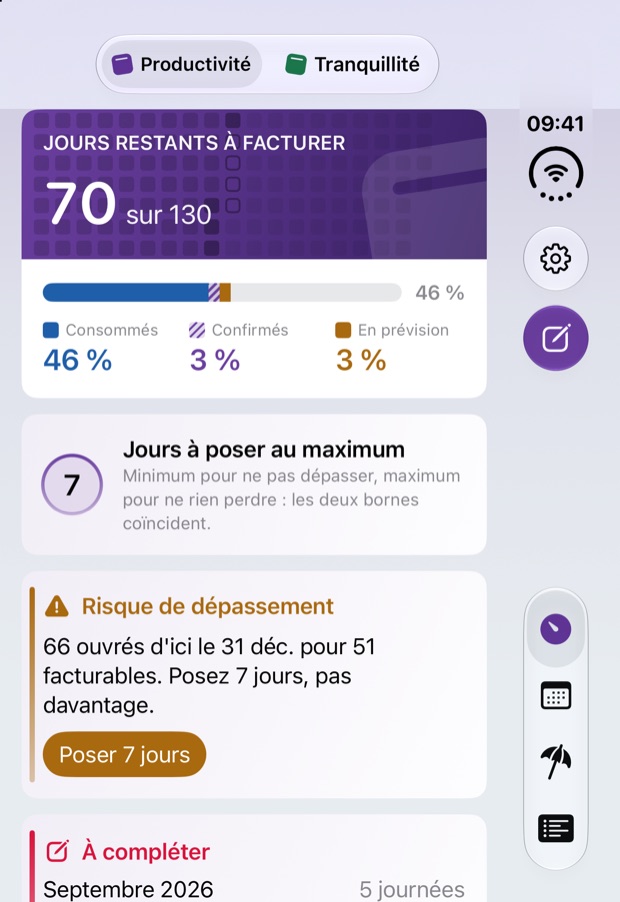
- The Apple ecosystem: five widgets, Siri and Shortcuts, Spotlight search, quick actions and a mirror to a “Days” calendar.
- Accessibility: VoiceOver, larger text sizes, dark mode and increased contrast.
Question: How does it handle public holidays, paid leave or RTT?
It handles public holidays and non-working days, and it relies on the official French school holiday calendar. It also accounts for French specifics, such as the 25 days of paid leave per year or the 35-hour rule on working time.
The life of a day off: plan, approve, book
Days doesn’t replace your company’s approval process. With no account and no server, the app stays personal. It helps you land on the right dates with the right balance, then keep track month after month.
- In Days 1Plan You create a planned absence. Days factors it into your balance, alongside public and school holidays, and spots bridge days.
- With your team 2Approve You get your dates approved under your company’s rules. This is the step that stops everyone from leaving at once.
- HR, then Days 3Book You book the days in the official tool, then confirm the absence in Days: the plan becomes “Confirmed”.
- Every month 4Track You validate your CRA in Days. A reminder arrives on the 5th of the following month, and another 30 days before each deadline.
Who is it for?
Question: Who did you build Days for?
First for consultants: freelancers, ESN consultants, consultants on portage salarial. Then for employees, who also have their leave and RTT to keep track of.
I also had in mind employees with different schedules, people who work weekends, for example. In restaurants, in hotels, or airport ground staff.
During the beta, each profile had its own TestFlight test group: employee, ESN consultant, umbrella-company consultant, freelancer.
From 206 to Days: the story of a name
- 206The name of the rule. An app designed for a single team.
- DayzzlyThe project opens up to all consultants and to employees. An available, unique domain name: the website keeps the dayzzly.app address.
- DaysChosen after a workshop at Apple on September 29, 2026. Easy to pronounce, Siri included. It’s the app’s name on the App Store.
Question: How do you go from a team app to an App Store app?
I quickly realized my project wasn’t the only one facing this problem. There was an opportunity: to bring a solution to all consultants, and to employees, for managing their leave.
What started as a need turned into a project to sell on the App Store. With everything that comes with it: marketing, design…
Question: Why did you drop Dayzzly?
First I looked for a domain name that was available and unique. Dayzzly ticked every box. The problem is, it isn’t easy to pronounce. Especially when I was testing with Siri: most of the time, it heard “Daisy”. I felt the experience wasn’t up to par.
Then I had the app tested during a workshop with Apple. The feedback I got: too complex. I had to simplify, both the app’s features and its name.
And Days came as the obvious choice. The domain name wasn’t available, but it fit my project perfectly. And it’s easy to pronounce, in the spirit of Apple’s apps.
Before the code: 47 drafts of the brief
Question: Honestly, where did you start?
The truth? I started by writing down my need. On my phone, because to begin with, I couldn’t be bothered to get up and go to my computer. It all starts on a weekend, on my couch.
And I didn’t write that brief in one go. Not in a single prompt, not in a single pass: 47 times, before handing it to my agents.
During the design phase, it was important to clearly identify who I was building for, and how the product should meet their needs. This part is far from trivial: it’s what shapes everything else.
That doesn’t mean I didn’t adjust anything afterwards. I refined the rest thanks to user feedback.
“Not in a single prompt, not in a single pass: 47 times, before handing it to my agents.”
Question: How did you gather those needs?
Quite simply, I started by talking to my colleagues. I told them I was going to build an app to solve this problem.
Today, I send out regular surveys to get users’ feedback. And I use TestFlight, where testers give feedback on the beta versions.
The beta testers’ questionnaire takes about eight minutes, with one version per status. Answers are anonymous unless the tester leaves an email address.
One prompt, one TestFlight build
That’s the line that raises eyebrows.
Question: You say you built Days from your iPhone. Really?
Yes, entirely from my iPhone. I’ll say it again: entirely from my iPhone.
Truth is, I developed this app, but I didn’t code a single line. Once my need was clearly defined, I used modern AI technology to build the ultimate pipeline for any app creator. One prompt, one TestFlight build.
A technical note: the iPhone is the cockpit. It sends requests to Claude Code, the coding agent, which runs on a Mac mini at Mickaël’s home. The rest of the chain:
| Tool | Its role in Days |
|---|---|
| Claude Code | The agent that writes the code, driven from the iPhone. |
| Xcode Cloud | Builds each version and distributes it on TestFlight. |
| App Store Connect API | Updates the app’s store listing: text, screenshots, events. |
| Zite | The forms: surveys, and the beta-tester sign-up, which routes each tester to their TestFlight group. |
| TestFlight | The beta versions and testers’ feedback. |
Question: How long did it take?
One month at most, from the idea to V1 on the Store.
The takeaway
No code doesn’t mean no method: before the first build, there were 47 drafts of the brief. That design work is what shapes everything else.
The method behind Days: PILOTE
Mickaël has turned this chain into six steps whose initials spell a word: PILOTE (French for “pilot”). It’s the method he’ll use in his course to show how to build an app like Days.
- Partir du problème (start from the problem). The real need, its users, the app’s goal.
- Imaginer (imagine). User flows, business rules, design. The step ends with a PRD, the document that describes the product, written and approved.
- Lancer avec l’IA (launch with AI). From the phone to Claude Code, which works on the Mac with Apple and accessibility skills, plus Apple’s Xcode MCP server.
- Observer et vérifier (observe and verify). Builds, Swift Testing tests, screenshots. Then a human review, accessibility included.
- Tester avec les utilisateurs (test with users). From GitHub to Xcode Cloud, then TestFlight, with four tester groups, one per profile.
- Expédier et faire évoluer (ship and evolve). The human go-ahead, Apple’s review, then distribution on the App Store.
Two loops keep the method turning. After each check, you fix and run the AI again. And user feedback, collected through Zite questionnaires, leads back to the “Imagine” step. The “too complex” verdict from the Apple workshop followed that path: Days was simplified, right down to its name.
iOS 27, and a workshop at Apple
Question: The first version only runs on iOS 27. Why that choice?
As a developer, I wanted to try Apple’s latest APIs: Siri, widgets, Shortcuts, Spotlight. And I wanted a version ready on day one for iPhone Duo.
On September 29, 2026, Mickaël spent the day at Apple in Paris for the “Optimize your app for iPhone Duo” workshop. The device wasn’t out yet.
Question: What did the workshop give you?
I was lucky enough to attend this workshop to work on iPhone Duo before its release. That’s how I was able to test my app on a real device.
It’s also where Days was judged too complex, then simplified, right down to its name. Today it has a dedicated layout for iPad and for the folded iPhone Duo.
The objections, one by one
Here is the pushback he hears, and his answers.
“There’s already a tool for that.”
The company’s tool records absences.
His answer: Days answers a different question: how many days you have left to take, or to bill, before the end of the year.
“I have to enter everything twice.”
Today, Days doesn’t connect to HR tools.
His answer: that’s what the HR API sync, planned on the roadmap, is for.
“Why isn’t the app on Android?”
V1 is limited to iOS 27 and iPadOS 27.
His answer: a native Android version is coming, built from the iOS version, with all its features.
“Can the data be synced?”
Not today: everything stays on the device.
His answer: no account, no server. That’s what protects your data.
“I won’t pay for this app.”
Days will be paid eventually.
His answer: it’s free at launch. After that, a lifetime purchase or a subscription, with a 30-day free trial.
Privacy: everything stays on the device
Question: Your users store their absences in it, sometimes their daily rate. How do you protect that data?
I use Apple’s platforms, which comply with GDPR and user data protection requirements. The app doesn’t store any data on external servers: all processing happens locally.
The Days website confirms it: no account, no ads, no trackers. The only external connection is an anonymous download of the official school calendar, published by the French Ministry of Education.
Free at launch, and then?
Question: What’s your business model?
For now, the app is free for its launch. Eventually, there will be a lifetime purchase at €19.99 and a monthly subscription at €2.99, with a 30-day free trial.
Question: How are you getting the word out?
I’m betting on Apple’s promotional tools, like In-App Events. And on the website and the tech press.
Question: How do you measure usage?
For now, I only use Apple’s analytics tools. I’ll have numbers within the next two months.
What’s next, and what Days should change
Question: What’s coming next?
Five projects are on the table, with no announced timeline yet:
- An Android version, native, with all the features of the iOS app.
- HR API sync. “It’s the most critical part, because it requires direct access to HR tools. Solutions like MySilae offer APIs: it may be the first platform to connect. After that, we’ll need to build commercial partnerships.”
- A local AI assistant, running on the device.
- A version for team managers.
- An online course, in e-learning format, with text, videos and downloadable content, showing every step to build an app like Days.
Question: Ultimately, what impact do you want to have?
My vision is for users to feel calmer and more confident about how they organize their personal time. We spend a lot of time at work. Days should help strike a better balance.
Thanks to the Days beta testers for their feedback.
Key takeaways
- Days was born from a company rule: at most 206 days worked per year for external consultants.
- It tells you how many days you have left to take, or to bill, using the official French calendar.
- It all starts on a weekend, on a couch, with a brief rewritten 47 times.
- One month from idea to App Store, driven from an iPhone, with the six-step PILOTE method.
- Tested at Apple on a real iPhone Duo, it was simplified: its features as well as its name.
- Everything stays on the device, and the app is free at launch.
Next step
If you work in France as a consultant or an employee, download Days and set your day cap: you’ll know how many days you have left to take.
If you have an app idea, start the way Mickaël did: write down your need. Then rewrite it.
Every day counts
Days is free at launch, for iPhone and iPad on iOS 27 and iPadOS 27.
Download Days on the App Store


